
MT4 Binding Tutorial

1 Using Built-in MT4 Trading Software in VPS

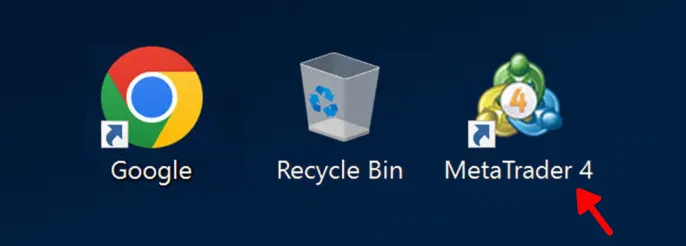
  1.1 Open the MT4 software on the VPS desktop.
  

1.png

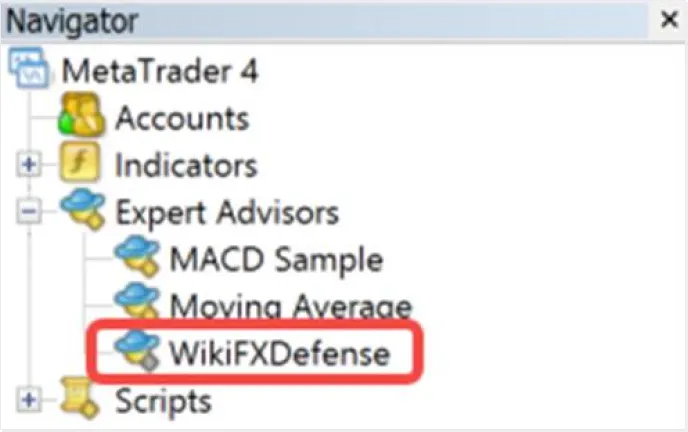
  1.2 After opening, you should see the WikiFXDefense script in the Expert Advisors list as shown.:
  

2.png

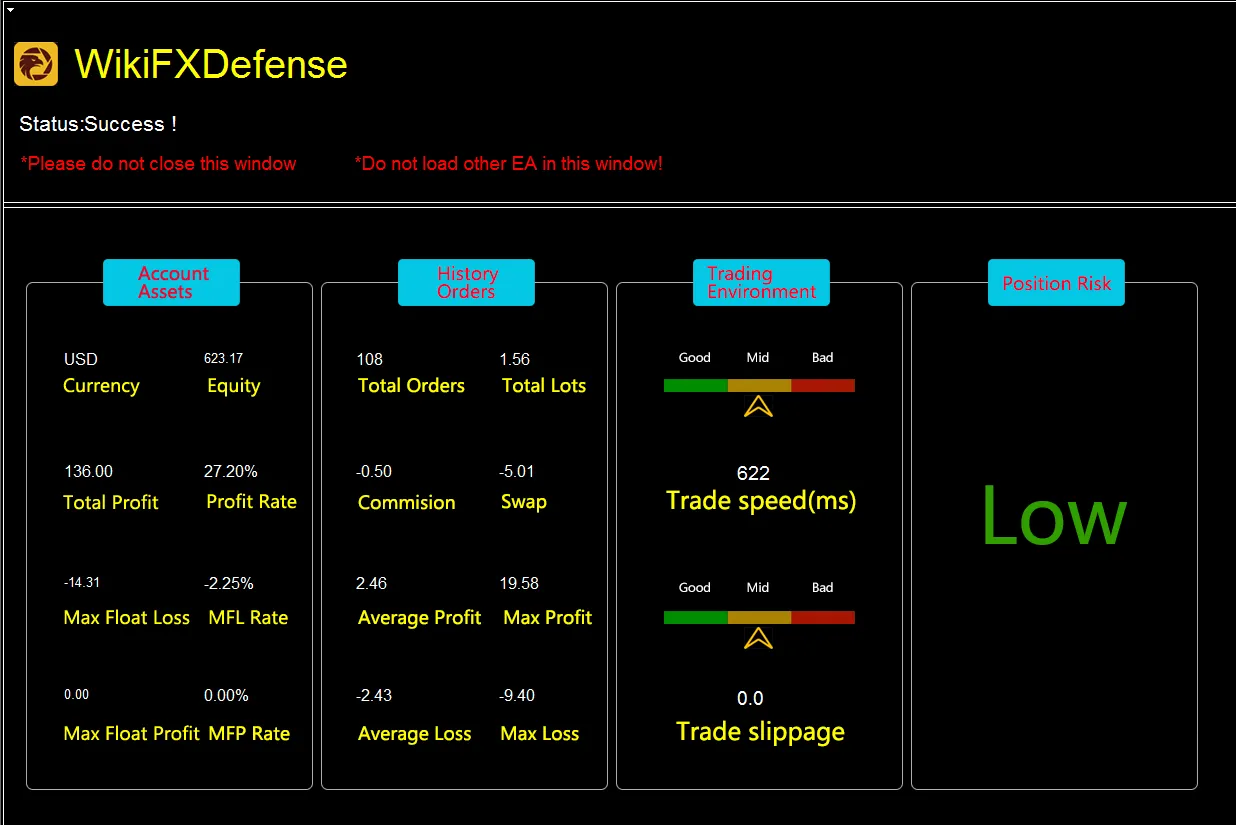
  1.3 After successfully logging into the trading account, the WikiFXDefense script will automatically load into the window. Once loaded, a success status will be displayed. Additionally, data such as account information statistics will be shown at the bottom of the window..
  

3.1.png

  If binding fails, follow the provided prompts to make corrections.


2 Installing MT4 Independently

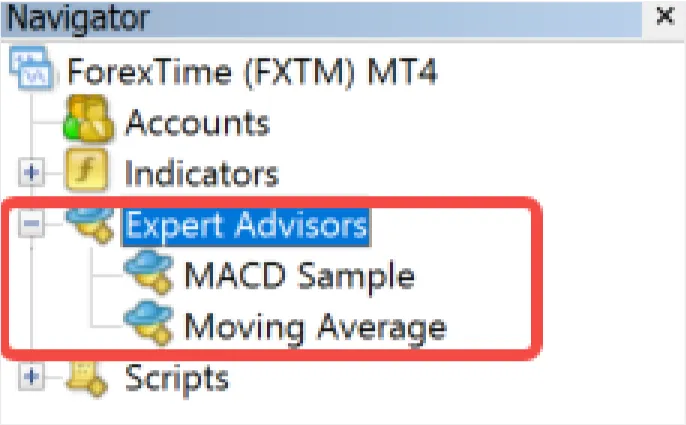
  2.1 Open your installed MT4 software (installation steps omitted here). If WikiFXDefense script does not appear in the left navigation, as shown:
  

4.png

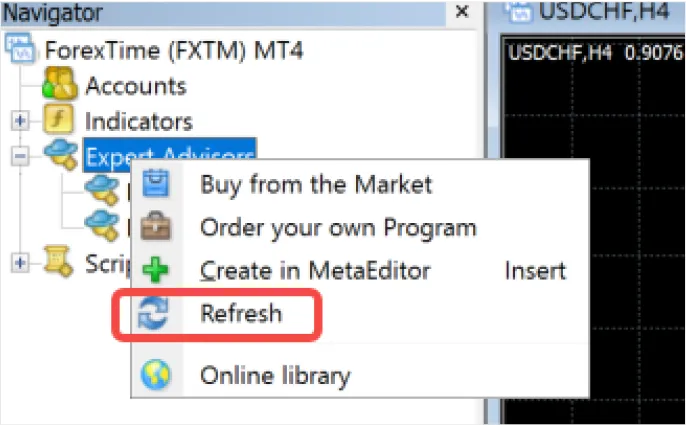
  2.2 Right-click on “Expert Advisors” and select “Refresh”. The WikiFXDefense script should then appear in the list. (If it still does not appear, wait a moment and try again, or contact online customer service)
  

5.png

  2.3 After logging in, manually load the WikiFXDefense script to complete account binding.


  Manually Loading:

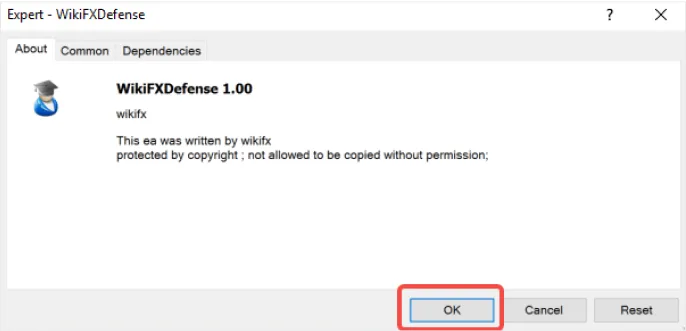
  Method 1: Activate the window for the WikiFXDefense script of the desired instrument by clicking it. Double-click on WikiFXDefense in the navigation list; a loading prompt will appear, click OK. As shown:
  

6.png

  Method 2: Drag and drop WikiFXDefense from the navigation list into the required instrument window; a loading prompt will appear, click OK.

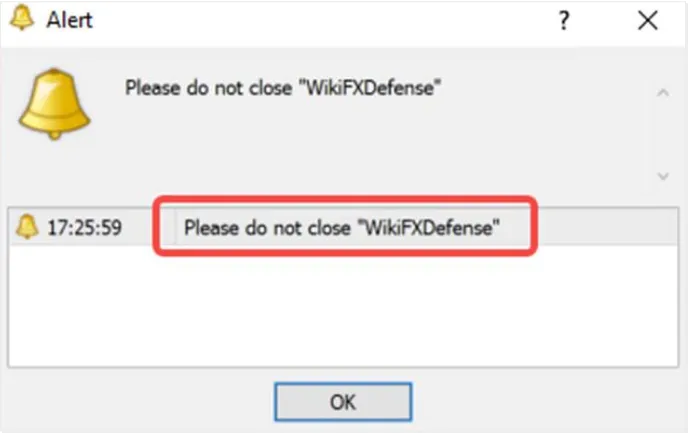
  Note: Once bound successfully, maintain continuous loading of WikiFXDefense script (only one window needed). If this window is closed or another EA is loaded into it, a warning against closing will pop up. As shown:
  

7.png

  If users need to use other EAs, they can load them in a new window.

  Opening Instrument Windows in MT4

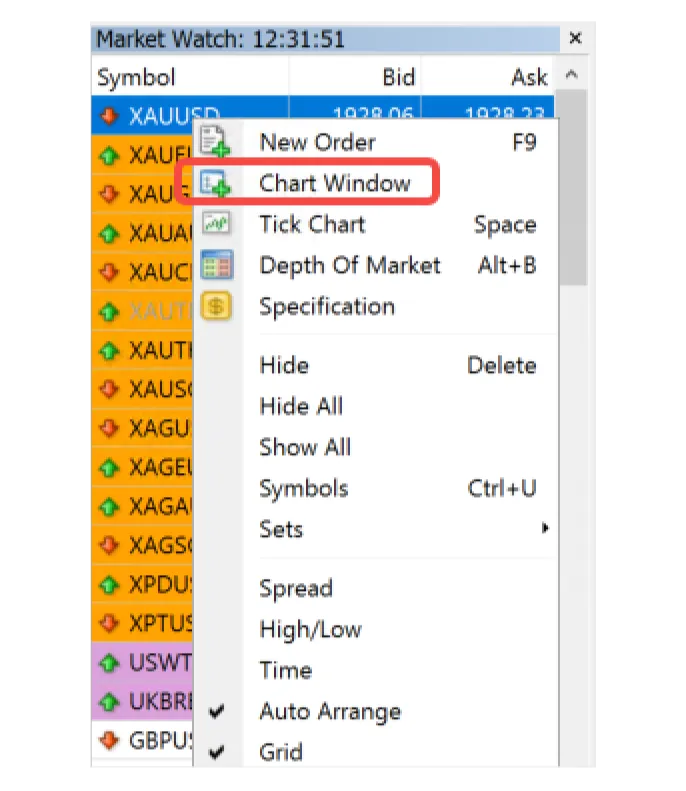
  Method 1: In the market list on the left, select an instrument, right-click and choose “Chart Window”. As shown:
  

8.png

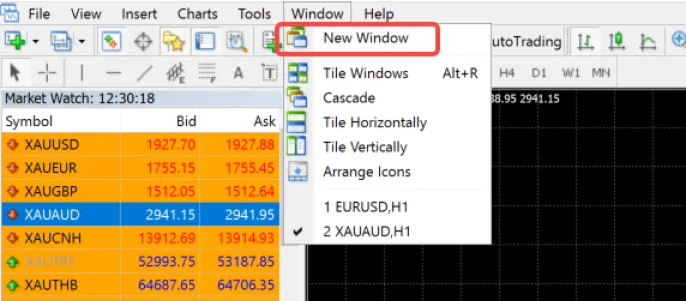
  Method 2: In the “Window” menu, select “New Window”, then choose an instrument. As shown:
  

9.png
ملک یا خطہ منتخب کریں
  • tw.wikifx.com

  • ریاستہائے متحدہ امریکہ

    us.wikifx.com

  • کوریا

    kr.wikifx.com

  • برطانیہ

    uk.wikifx.com

  • جاپان

    jp.wikifx.com

  • انڈونیشیا

    id.wikifx.com

  • ویتنام

    vn.wikifx.com

  • آسٹریلیا

    au.wikifx.com

  • سنگاپور

    sg.wikifx.com

  • تھائی لینڈ

    th.wikifx.com

  • قبرص

    cy.wikifx.com

  • جرمنی

    de.wikifx.com

  • روس

    ru.wikifx.com

  • فلپائن

    ph.wikifx.com

  • نیوزی لینڈ

    nz.wikifx.com

  • بھارت

    in.wikifx.com

  • فرانس

    fr.wikifx.com

  • سپین

    es.wikifx.com

  • ملائیشیا

    my.wikifx.com

  • نائجیریا

    ng.wikifx.com

  • کمبوڈیا

    kh.wikifx.com

  • اٹلی

    it.wikifx.com

  • جنوبی افریقہ

    za.wikifx.com

  • ترکی

    tr.wikifx.com

  • نیدرلینڈز

    nl.wikifx.com

  • متحدہ عرب امارات

    ae.wikifx.com

  • کولمبیا

    co.wikifx.com

  • ارجنٹائن

    ar.wikifx.com

  • ایکواڈور

    ec.wikifx.com

  • مصر

    eg.wikifx.com

  • مراکش

    ma.wikifx.com

  • میکسیکو

    mx.wikifx.com

  • پیرو

    pe.wikifx.com

  • پاکستان

    pk.wikifx.com

  • تیونس

    tn.wikifx.com

  • وینزویلا

    ve.wikifx.com

  • عراق

    iq.wikifx.com

  • بولیویا

    bo.wikifx.com

  • بنگلہ دیش

    bd.wikifx.com

  • سعودی عرب

    sa.wikifx.com

  • برازیل

    br.wikifx.com

  • چلی

    cl.wikifx.com

  • کینیڈا

    ca.wikifx.com

  • گھانا

    gh.wikifx.com

  • کینیا

    ke.wikifx.com

  • سوڈان

    sd.wikifx.com

ریاستہائے متحدہ امریکہ
※ یہ ویب سائٹ مقامی قوانین و ضوابط کی پابندی کرتی ہے۔
آپ WikiFX ویب سائٹ پر تشریف لا رہے ہیں۔ WikiFX انٹرنیٹ اور اس کی موبائل پروڈکٹس عالمی صارفین کے لیے ایک کاروباری معلومات تلاش کرنے کا آلہ ہے۔ WikiFX پروڈکٹس استعمال کرتے وقت، صارفین سے درخواست ہے کہ وہ اپنے ملک اور علاقے کے متعلقہ قانونی ضوابط کی رضاکارانہ طور پر پابندی کریں۔
بروکرز کے خلاف شکایات، رپورٹنگ، سوالات اور تاثرات کے لیے ای میل: cs@wikifx.com، support@wikifx.com
لائسنس وغیرہ کی معلومات میں تصحیح کے لیے براہ کرم اس پتے پر معلومات بھیجیں: qa@wikifx.com
کاروباری تعاون: business@wikifx.com